Sellers & product teams
Review authorized product LIVE sessions, keep demonstrations and compare messaging over time.
Save videos. Record LIVE streams. Build a library on your own computer — with one focused Windows app.
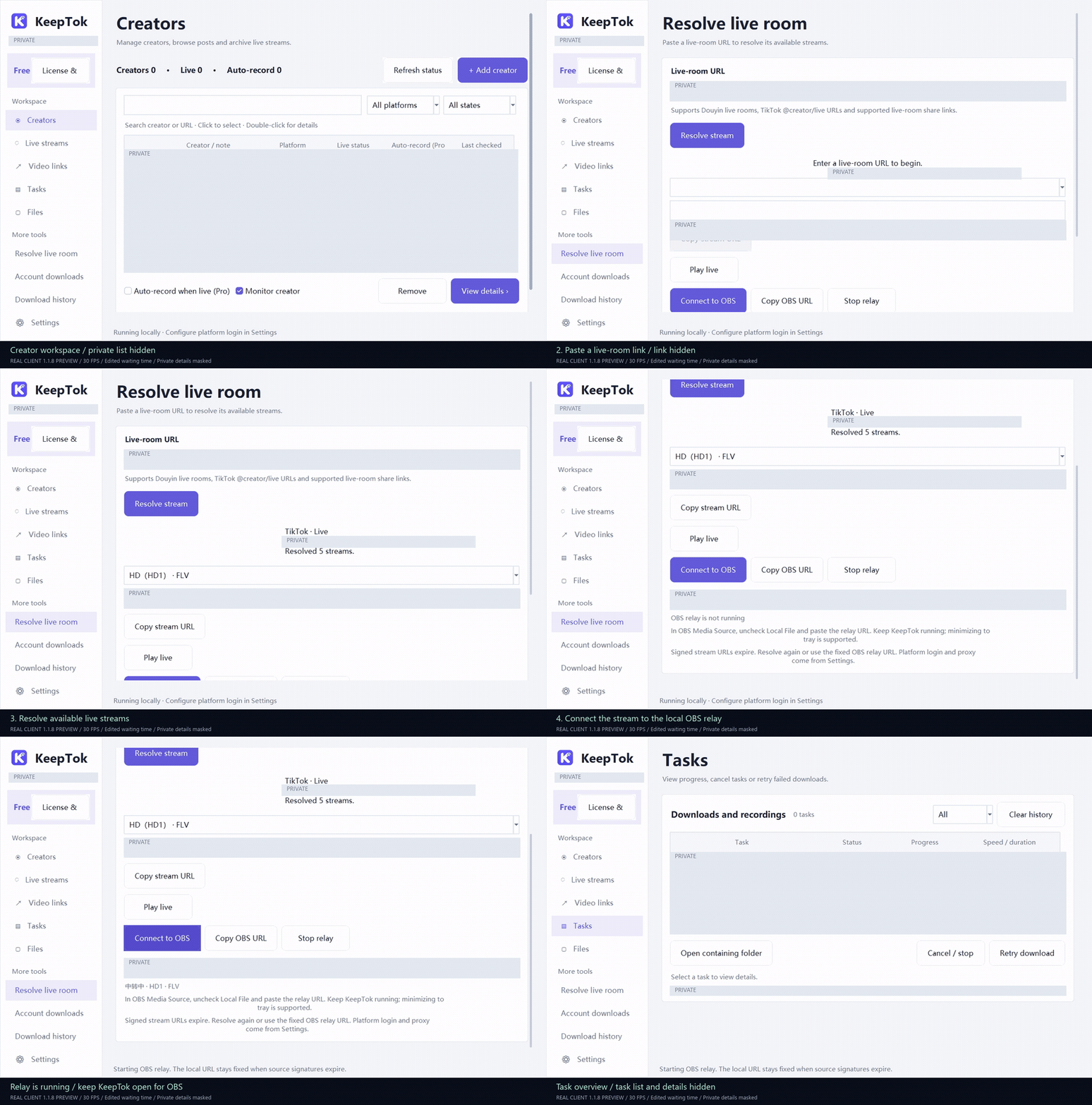
Native 1280 × 800 client capture at 30 FPS. Links, creator identities, source addresses and task details are masked. Waiting time is edited.
Recorded with KeepTok 1.1.8 · Current download: 1.1.12.
Review authorized product LIVE sessions, keep demonstrations and compare messaging over time.
Archive your creators’ public posts and LIVE recordings in local folders. Personal adds automatic recording and account batches.
Keep footage you own or may reuse, record locally and bring an accessible LIVE source into OBS.
One Windows workspace for downloading, recording and keeping everything within reach.
Paste a TikTok or Douyin link and save the available video to a folder you choose. Skip files already downloaded.
Monitor creators, record in segments and reconnect after interruptions. Personal and Pro add automatic recording.
Manage creators, download tasks and recording files in one workspace, with built-in playback.
Browse creator posts and queue selected videos. Account batch downloads are included in Personal and Pro.
Use a fixed local relay address. KeepTok refreshes the source as needed while the relay is running.
Media and platform login sessions stay on your computer. Close the window to the tray to keep tasks running.
Install KeepTok, sign in to your platform if needed, then paste a video link or add a LIVE creator.
Select a plan and pay securely through PayPal. Save the activation key shown after payment.
Paste the key into About / License → Activate / Restore. Your plan appears after online verification.
Choose your plan, pay securely with PayPal and receive your activation key.
One-time payment. Lifetime license. No subscription.
Start with the essentials.
For the occasional save.
For your regular workflow.
Two computers. Your full archive.
Daily quotas reset at 00:00 UTC (08:00 Beijing time). Concurrency means downloads, not simultaneous recordings. Recording requires your PC awake and KeepTok running. Paid licenses cover this product’s lifetime, with online validation and up to 72 hours of signed offline access. Device transfers and upgrades are support-assisted.
KeepTok 1.1.12 · Approximately 199 MB. Start with the Free plan and keep the files you save.
The installer is currently unsigned. Platform availability depends on your network and login status.
Choose a plan on this website, complete PayPal checkout and return to receive your activation key.
No. Recording runs locally. Your PC must stay awake, KeepTok must be running and the stream must be accessible. Hiding the app to the tray keeps tasks running.
Some requests require a valid platform login. Availability also depends on region, network and platform changes. KeepTok provides login and session import options; it does not bypass access controls.
The selected plan during this product’s lifetime: one installation for Lite or Personal, two for Pro. It requires periodic online validation and allows up to 72 hours offline. It does not include cloud recording or guaranteed future platform support.
Contact support with your order reference for a device transfer. Request a refund within 14 days of purchase; see the terms for the process. Never email passwords, platform cookies or a full activation key.
No. The current desktop version does not support TikTok photo-post downloads. Douyin galleries and other media depend on the available platform response.
Get the free browser extension and follow the step-by-step setup guide.